ChatGPT-Assisted Engineering Spreadsheets
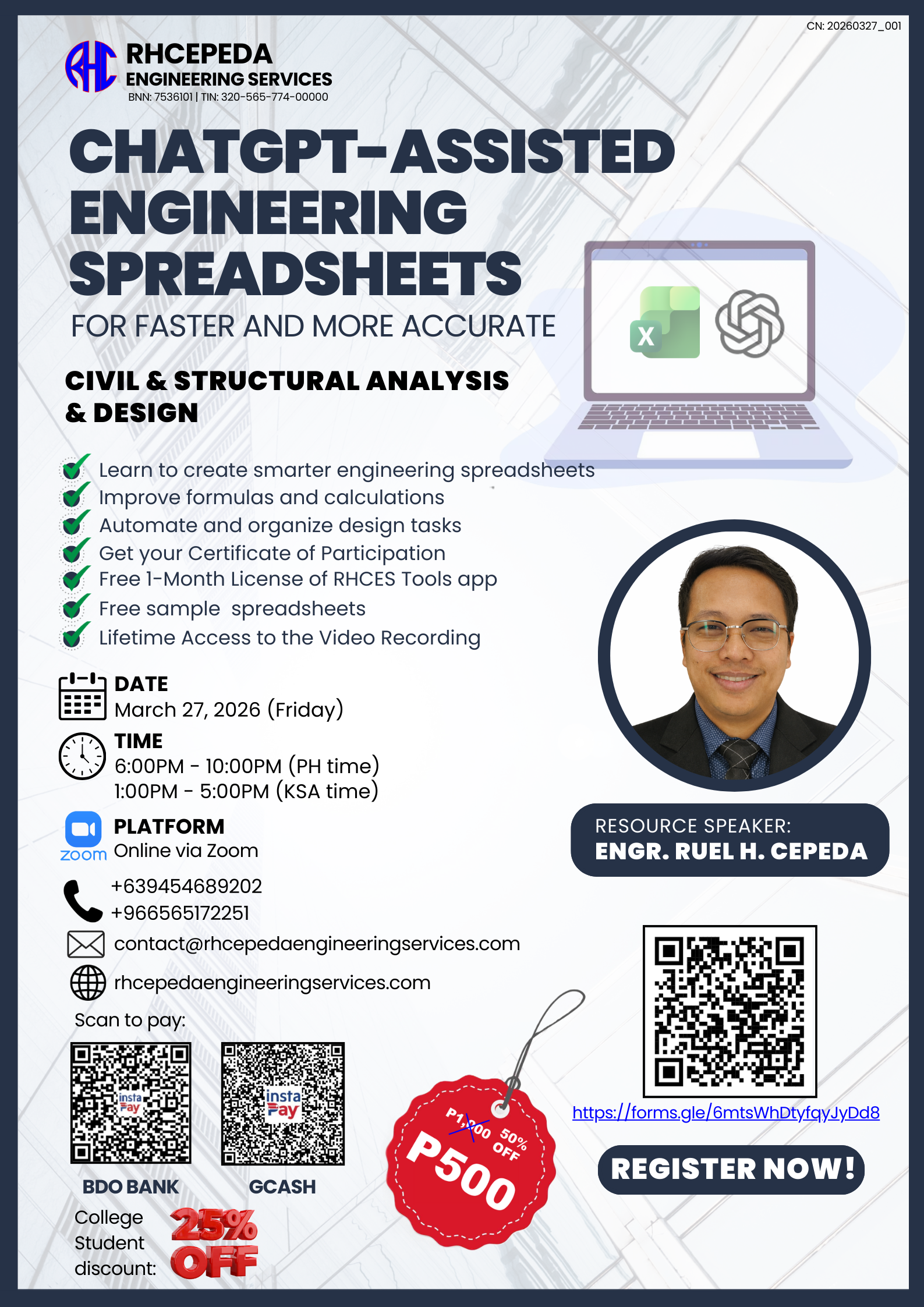
Seminar Recap
Our very first online seminar — and it exceeded all expectations. With 90+ participants from across the Philippines, Saudi Arabia, and the UAE, this session proved that there is a massive demand for practical AI training tailored to practicing engineers.
Over 4 hours, participants learned how to use ChatGPT to create professional-grade engineering spreadsheets from scratch — from spreadsheet planning and prompt writing to live structural engineering applications and a hands-on workshop.
"This was exactly what I needed. I have been making spreadsheets for 15 years and ChatGPT just showed me a completely new way to work." — Seminar Participant
Program Objective
- To introduce participants to the use of ChatGPT and AI in creating engineering spreadsheets for practical engineering applications.
- To develop participants' skills in spreadsheet planning, prompt writing, formula creation, and worksheet organization.
- To provide hands-on experience in applying AI-assisted spreadsheets to structural engineering calculations, quantity estimation, and live spreadsheet development.
Detailed Seminar Flow
Welcome, opening remarks, speaker introduction, and seminar overview.
Role of AI in engineering workflows, strengths, limitations, and responsible use. Understanding how ChatGPT can assist in creating, debugging, and optimizing engineering spreadsheets. Overview of the tools and setup needed for the session.
How to define inputs and outputs for your engineering spreadsheet. Structuring effective prompts for ChatGPT to generate accurate formulas and layouts. Avoiding common prompting mistakes that lead to incorrect calculations. Iterative refinement: reviewing and improving AI-generated outputs.
Formula drafting using ChatGPT for engineering calculations. Worksheet organization techniques: input/output sheets, naming conventions, and cross-references. Automation concepts: auto-fill, conditional formatting, and calculation triggers. Professional formatting of engineering sheets: headers, borders, print areas, and company branding.
This is the core hands-on session where participants follow along and build real engineering spreadsheets with ChatGPT assistance. Sample spreadsheets developed during this module:
- Simply Supported Beam with UDL Analysis — Shear and moment calculations for beams under uniform distributed loading
- Shear/Moment/Deflection Diagrams — Graphical representation of internal forces and deflection curves
- Beam Deflection Checking — Serviceability checks per code requirements
- Crack Width Checking — Crack control verification for reinforced concrete beams
- Beam Section Design as per ACI 318-19 — Complete flexural and shear design per the latest ACI code
- Column Section Capacity Checker — Axial and bending interaction capacity verification
- Rebar and Concrete Estimate of Beam — Quantity takeoff for reinforcement weight and concrete volume
- Live Spreadsheet Development from Scratch — Participants build their own engineering spreadsheet alongside the instructor
Participant questions, practical guidance, and engineering spreadsheet review tips. Discussion on how to apply AI-assisted spreadsheets in your own projects. Troubleshooting and best practices for getting the most out of ChatGPT.
Closing message, certificate and recording reminders, sample spreadsheets distribution, and RHCES Tools license announcement. Information about the upcoming Spreadsheets 2.0 advanced seminar.
Equivalent Time Reference — KSA Time
For participants in Saudi Arabia and the Middle East:
- 1:00 – 1:10 PM — Opening Program
- 1:10 – 1:30 PM — Module 1
- 1:30 – 1:50 PM — Module 2
- 1:50 – 2:10 PM — Module 3
- 2:10 – 4:40 PM — Module 4
- 4:40 – 4:50 PM — Q and A
- 4:50 – 5:00 PM — Closing Program
Sample Spreadsheets Provided
All participants receive the following ready-to-use engineering spreadsheets:
- Simply Supported Beam with UDL Analysis — Complete shear and moment calculation under uniform distributed loading
- Shear/Moment/Deflection Diagrams — Visual diagrams with automatic chart generation
- Beam Deflection Checking — Serviceability verification per code requirements
- Crack Width Checking — Crack control verification for RC beams
- Beam Section Design (ACI 318-19) — Complete flexural and shear design per latest ACI code
- Column Section Capacity Checker — Axial-bending interaction capacity verification
- Rebar and Concrete Estimate of Beam — Quantity takeoff spreadsheet for reinforcement and concrete
Your Resource Speaker
Engr. Ruel H. Cepeda
Structural Engineer | AI Practitioner | Founder, RHCEPEDA Engineering Services
Engr. Cepeda is a licensed civil engineer specializing in structural analysis and design, with extensive experience in both local and international projects. He is the creator of RHCES Tools and RHCES Estimator, digital products used by hundreds of practicing engineers across the Philippines, Saudi Arabia, and the UAE.
As an AI practitioner, he actively integrates ChatGPT and modern AI workflows into his engineering practice — from automated spreadsheet generation to building full-featured desktop and web applications. His seminars focus on practical, real-world applications that engineers can immediately use in their daily work.
Who Should Attend
- Civil and structural engineers (all experience levels)
- Engineering students preparing for professional practice
- Quantity surveyors and project engineers
- Engineering consultants and freelancers
- Anyone who uses Excel for engineering calculations
Recording Package — What You Get
Missed the live session? The complete recording package is available:
Frequently Asked Questions
Yes! The recording captures the entire session including all demos, the live workshop, and Q&A. Many participants prefer the recording because they can pause and follow along at their own pace.
No. The seminar is designed for engineers with zero coding background. ChatGPT handles the formula and macro generation — you focus on the engineering logic.
Excel 2016 or newer is recommended. Excel 365 is ideal. Google Sheets works for most content but some advanced features are Excel-only.
Yes! We are releasing Spreadsheets 2.0 on April 24, 2026 with all-new advanced content covering dynamic automation, VBA macros, and professional engineering templates. The original recording remains available for purchase.
After payment confirmation, you will receive login credentials to the RHCES Portal where the recording, materials, and spreadsheets are available for lifetime access.
Yes. The seminar was attended by engineers from the Philippines, Saudi Arabia, and the UAE. The AI workflow and spreadsheet techniques are universal, and the design tools use international codes (ACI 318-19).
Get the Recording Package
Includes the full video recording, 7+ sample spreadsheets, course handout, and a 30-day RHCES Tools license.
College students receive an additional 25% discount.
How to Get the Recording
- Click the Get Recording & Materials button below.
- Fill in your details (name, email, contact number).
- Pay via GCash or BDO Bank Transfer (details provided in the form).
- You will receive RHCES Portal login credentials with lifetime access to the recording, spreadsheets, and materials.
Comments
Loading comments...
Leave a Comment